








 ChatGPT 6 minHow to pay for ChatGPT Plus from Russia: why the card does not go through and what to doRead the article
 Buy a ChatGPT Go, Plus or Pro subscription for your account without an active paid subscription. For new Go and Plus orders, after payment we issue a code and a GGSoma link: you activate the subscription yourself. For Pro and previously created orders, activation is valid through the session form on the order page.
Good to know before purchasing
Select the appropriate option and check the terms and conditions before placing your order.
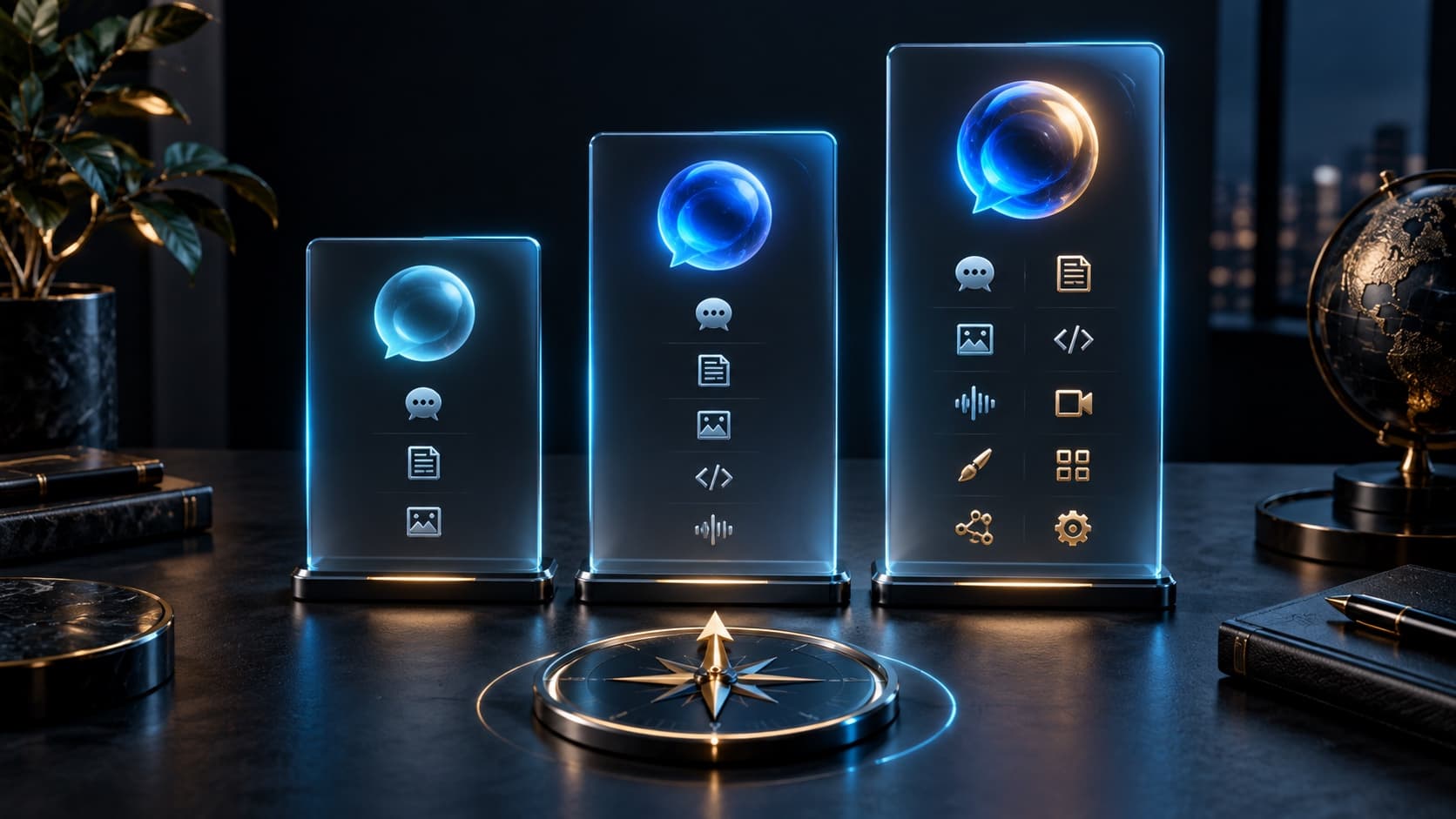
ChatGPT plans: Go, Plus and Pro
- ChatGPT Go — for regular use with extended limits.
- ChatGPT Plus - for more active work.
- ChatGPT Pro (variants ×5 and ×20) - for high load.
The exact list of features is determined by the selected ChatGPT plan: see the current description of plans on the OpenAI website. Please check the availability of plans when placing your order.
How to buy and activate a ChatGPT subscription
- Select a plan, indicate your contact email and payment method.
- Pay the created invoice. The supplier's balance and the availability of keys do not limit the creation of an order.
- For Go and Plus, wait for the code in your order and in the mail. Open the GGSoma link, enter the code and follow the activation instructions.
- For a Pro or previously created order, use the session form if it appears after payment.
- For an order with a code, the status “Completed” means the code is issued. Check the result of self-activation in your ChatGPT account.
What is needed for activation
You need a contact email and a personal ChatGPT account without an active paid subscription. Subscription terms are not cumulative. An account password is not required to place an order.
When activating Go and Plus yourself, follow the instructions from GGSoma. If it asks for session data, enter it on the GGSoma activation page; on the Unlimit website, a session is not required for these new orders. For Pro and previously created orders, the corresponding form will appear after payment.
How activation works and what is session data
New Go and Plus are issued with a code. The code is available in a completed order, in your personal account when purchasing from an account and via contact email. Go to https://chatgpt.ggsoma.store/redeem, enter the code and follow the instructions. Unlimit confirms the issuance of the code, and you check the activation result in ChatGPT.
For Pro and previously created orders, activation on the order page is preserved: session data is transferred after payment, stored in encrypted form and deleted after the order is completed.
Session data gives access to your account. Do not post them, activation code or login details in chats or reviews. Before entering the session, check the address of the activation page.
Unlimit is an independent subscription purchasing service and is not OpenAI. ChatGPT and OpenAI are trademarks of their respective owners.
Before contacting support
If the order has been paid for, but the code has not yet been issued, do not pay for it again. If delivery is delayed, the operator will be able to repeat the delivery or complete the order manually.
If the code is received, but activation fails, check that you do not have a valid paid subscription and save the error text. For questions about payment, issue or activation, contact Unlimit support with your order number.
Why choose Unlimit
- The subscription is activated on your account; you do not need to create a new profile.
- No account password is required.
- The delivery progress is visible on the order page. For an order with a code, the status “Completed ✅” means that the code has been issued and is ready for self-activation.
- Support in Telegram.
- Terms of purchase - in public offer, data processing - in privacy policy.
Other digital products - at home page.
Customer Experience
Purchase reviews
Collecting first reviews
Customer impressions will appear here.
Order history
Completed purchases · ChatGPT
—completed in total
—in the last 30 days
Personal data hidden
Frequently asked questions
How to get Go or Plus after payment?
For new orders we issue a GGSoma code and link. The code will appear in the completed order and will be sent to your contact email. Open https://chatgpt.ggsoma.store/redeem and follow the instructions for self-activation.
Do I need to enter a session on the Unlimit website?
For the new Go and Plus - no. If session data is needed when activating the code, they are entered on the GGSoma page. For Pro and previously created orders, the session form is saved on the order page after payment.
What does the "Completed" status mean?
For an order with a code, this is a confirmation of the code being issued, not the subscription connection. Complete self-activation and check the plan in your ChatGPT account. For the previous activation method, the status confirms that the activation has completed.
Where else can I find the code?
In a letter to the contact email and in the order card. If the purchase was made from an Unlimit account, the code is also available in your personal account. Check your Spam folder if you haven't received the email.
Is it possible to renew my current subscription?
These offers require an account without an active paid subscription. The term is not cumulative: wait until the end of the current paid period.
Do I need a password for my account?
No password is required to place an order. During self-activation, follow the GGSoma instructions. Do not send or publish your password, session or activation code in chat rooms.
What will happen to an already created order?
It will save the activation method chosen when placing it. If after payment there is a session form on the page, use it; There is no need to re-purchase a subscription.
What should I do if the payment went through but there is no code?
Check your order status and contact email. If there is a delay, please contact support with your order number. You do not need to pay again.
What to do if the code is not activated?
Check your account conditions, save the error text and write to Unlimit support with your order number. Do not create a second order to correct the first.
Do I need to create a new ChatGPT account?
You can use an existing personal account without an active paid subscription. Before activation, make sure that you are logged into the correct account.
Stories of our characters

Utya PrimeDuck intelligence
According to my calculations, the probability of receiving an order quickly is 100%. Tested on my own beak.

Lord UtyaHis Quackness
I order all my subjects to buy here. Otherwise you will have to pay more elsewhere.

Space UtyaSpace explorer
The order arrived faster than the signal from the Earth to the Moon. In space they approve.

Utya the WiseKeeper of wisdom
An ancient duck prophecy said: “Never overpay for digital goods.” Now I know where to fulfill it.
Utya CoinholderDeal hunter
I wanted to save money. Then I saw discounts on Unlimit. The plan failed, the mood improved.

Baby UtyaLittle duckling
Mom said not to trust strangers. But Unlimit issued the order so quickly that I didn’t even have time to get scared.

Utya.exeDigital native
I execute the command: buy a digital product. Status: successful. Mood Status: Excellent.
UtyaGPTAI duck
Analyzed the digital goods market. The answer is ready: quack.

Business UtyaBusiness duck
I save on purchases here so that later I can spend money irresponsibly in games.

Sigma UtyaHis own expert
I don't ask for advice. I don't read guides. I just buy where it is more profitable.
Related articles
Detailed instructions and answers to questions before and after purchase.
- ChatGPT 6 minHow to pay for ChatGPT Plus from Russia: why the card does not go through and what to doRead the article
 ChatGPT 6 minGift card: what is it, where does it work and how does it differ from a subscription codeRead the article
  ChatGPT 9 minChatGPT Go, Plus or Pro: which plan to choose for your tasks?Read the article